Youtube Learning Hub
• UX Research • Product Design • UI Design • Prototyping
How can we change Youtube from passive scrolling to active learning?
Improved intentional learning, measured by the integration of personalized learning paths, goal tracking, and progress milestones, resulting in a more structured and motivating educational experience.
PROJECT: Bootcamp:Feature Design
ROLO: Solo UX / UI Designer
TOOLS: Figma, Figjam, Google Forms
TIMELINE: 90 Hours
A quick snapshot
The Question
How can we change Youtube from passive scrolling to active learning?
The Solution
A dedicated Learning Hub that organizes content into personalized paths with goals, focus tools, and progress tracking.
The Outcome
A more structured YouTube experience designed to turn passive watching into active, goal-driven learning.
85.4%
of survey respondents needs were addressed.
80%
of users expressed they would try out the platform
100%
of users successfully created a learning path.
Spotting an Opportunity in Youtube’s Learning Experience
YouTube has evolved into a primary destination for self-directed learning, offering tutorials, courses, and educational content across nearly every subject. YouTube has over 2.5 billion monthly active users as of 2026. The platform is available in over 100 countries and supports more than 80 languages.
However, the platform is optimized for engagement and discovery, not for learning progression or retention.
-
Hypothesizing for Educational Engagement
Users rely on YouTube for learning because it is fast, accessible, and flexible, but the platform is optimized for passive content consumption rather than active education. As a result, learners struggle to retain knowledge, stay focused, track progress, and develop skills over time. There is an opportunity to create a guided learning experience that supports active participation without sacrificing the flexibility users value.
-
We want to understand how users approach learning on YouTube over time so that we can design experiences that support skill-building, retention, and meaningful progress.
YouTube is heavily used for learning, but primarily for fast problem-solving.
Performing Focused Research
Research Methods
Survey of 41 participants
Interviews with 5 users
Competitive Analysis
Why do some users persist with content, while others abandon it?
I focused on the key barriers users have to completing longer-form educational material. Ultimately, this research helped me define what users consider successful learning outcomes and how they balance quick problem-solving needs with a desire for deeper skill acquisition.
WHAT WAS INVESTIGATED?
How users navigate between videos.
How do users track their progress?
Learning from Competition


While all platforms effectively deliver video-based, self-paced learning at scale, they differ significantly in their approach to balancing structure, depth, and engagement. Because users struggle to build effective learning paths independently, competitors have successfully driven stronger outcomes through guided progression and interaction.
User motivation is fragile and highly dependent on thoughtful design.Structure Drives Retention
Users rarely build effective, sequential learning paths on their own.
Watching ≠ Learning
YouTube excels at discovery ("this looks interesting"), but users struggle to transition into intentional learning.
Motivation is Design-Dependent
Drop-off occurs across all platforms for different reasons.
YouTube due to distraction
Coursera due to time commitment
Udemy due to low accountability
Motivation is sustained when systems provide progress visibility, clear next steps, and milestones.
Scale vs. Quality
Open platforms (YouTube, Udemy) offer massive breadth but variable quality, while curated platforms (Coursera, Khan) offer quality at the expense of breadth.
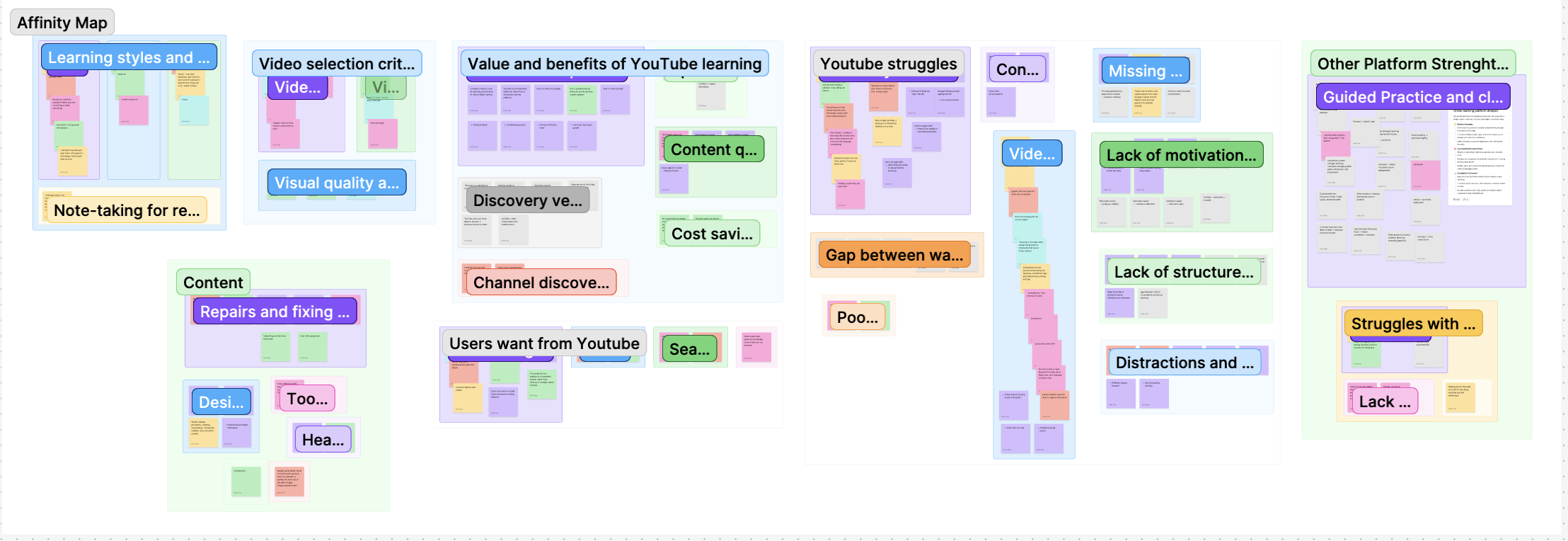
Identifying Friction Points in User Learning
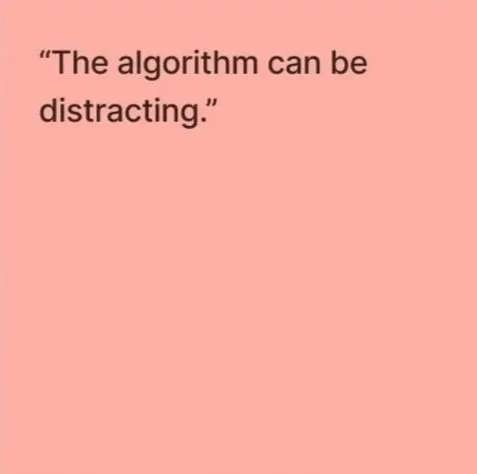
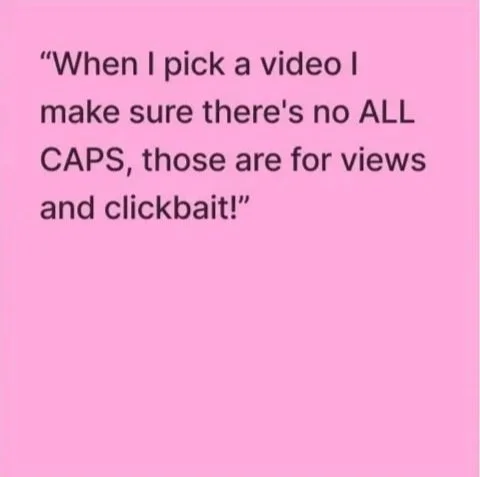
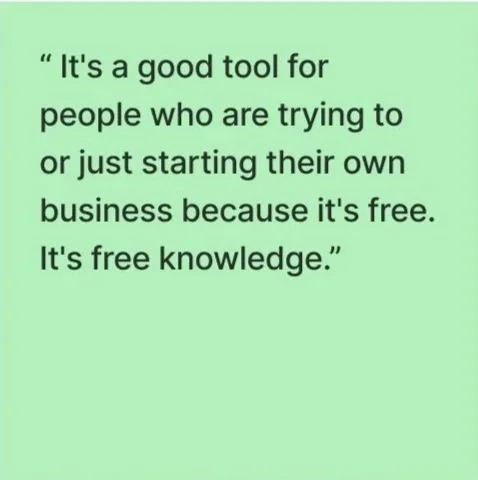
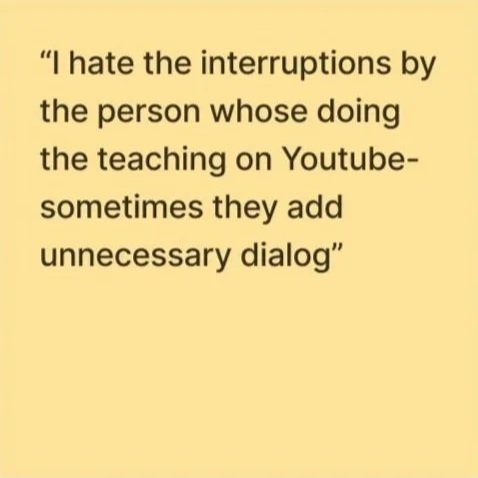
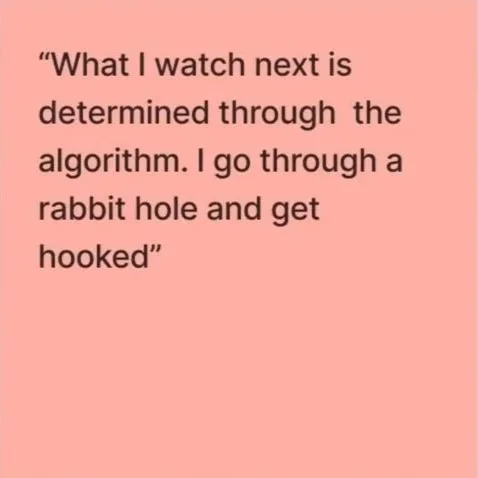
Interfaces often prioritize engagement over educational success, leading to fragmented attention. In contrast, effective learning environments rely on structured components like progress tracking, clear milestones, and feedback loops to maintain accountability. These findings highlight a clear demand for personalized learning paths, reduced friction, and structured progression to support long-term skill acquisition.
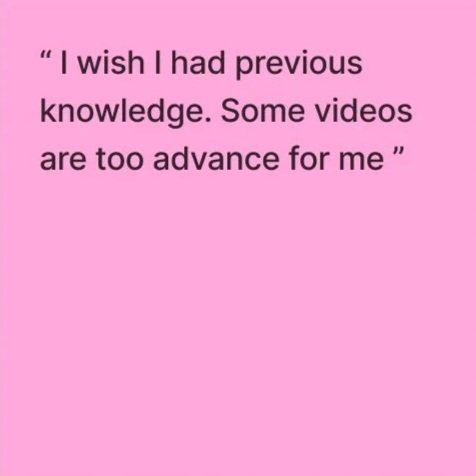
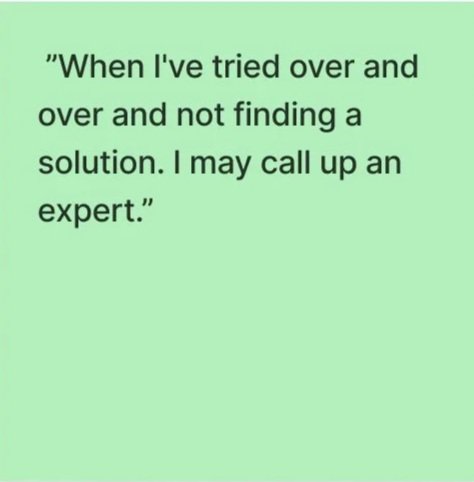
Although YouTube is effective for quick problem-solving,
it lacks the structure required for deeper educational mastery.
User Personas
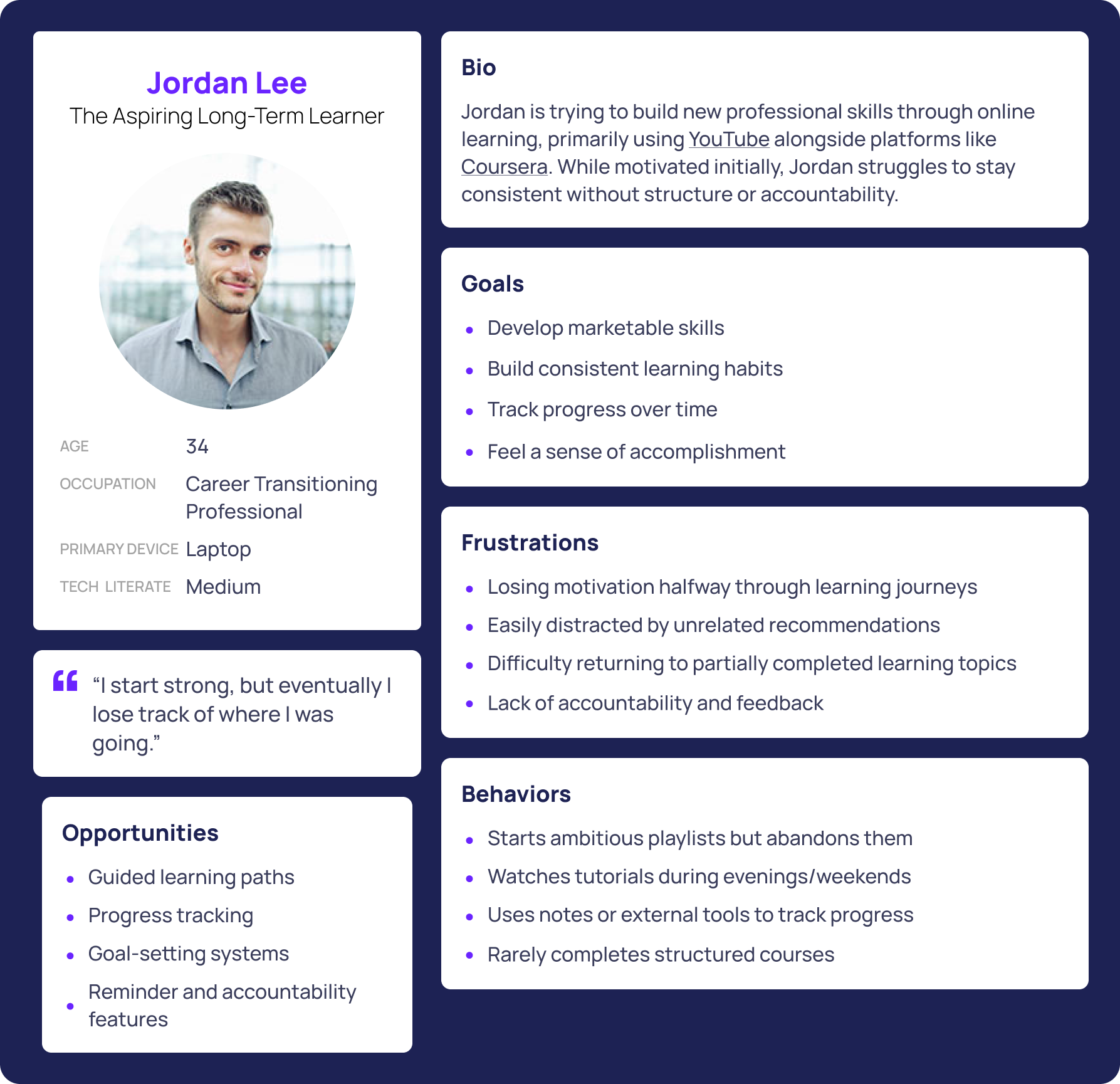
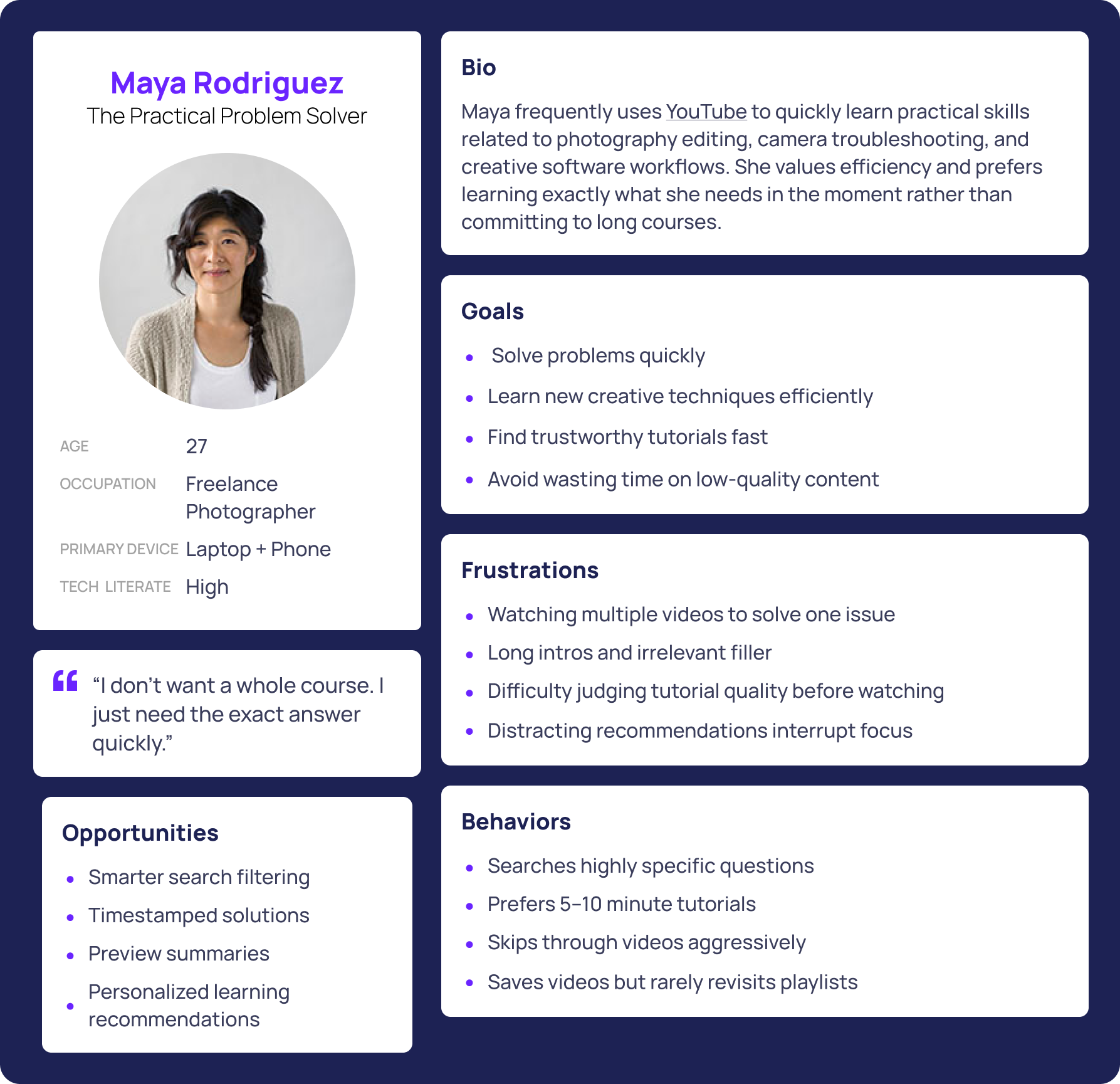
Across all personas, users valued:
Speed and Efficiency
Flexible Learning
Better Organization
Reduced Distractions
Clear Relevance
Progress Visibility
A major opportunity exists to create a platform experience that supports both immediate problem-solving and long-term skill growth.
-
How might we help learners quickly find relevant, high-quality educational content with less distraction?
How might we support both quick learning needs and long-term skill growth in one experience?
How might we improve motivation and retention through personalized guidance and progress tracking?
Addressing the Engagement-Education Gap
Challenge: Introduce a high-impact educational experience without disrupting the platform's established brand identity.
To achieve this, I developed a dedicated "Learning Hub," where users can build personalized paths, track their progress, and receive mentorship feedback. I also integrated a distraction-free "Learning Mode" to help users stay focused on their specific goals rather than getting lost in the usual feed, providing a much-needed sanctuary for those looking to turn their "doom scrolling" into productive learning.
From Fiction to Feature
Focus & Retention
Structured Progression
Active Engagement
Learning Mode Toggle
Smart Learning Paths
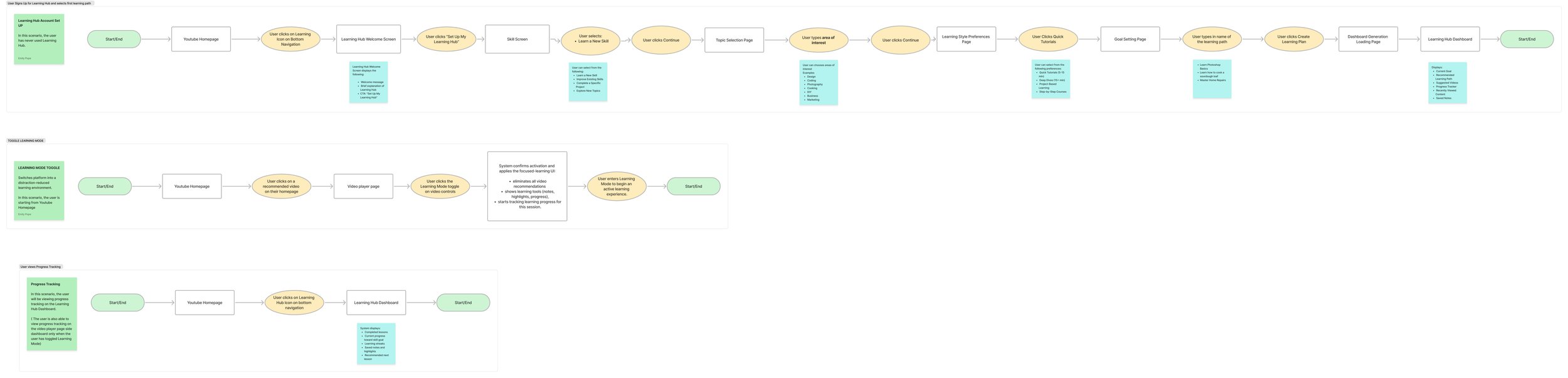
Task Flows
Learning Hub is the central destination for active learning, the onboarding flow should gather just enough information to personalize the experience without feeling like a course enrollment process.
The three flows I created where:
Learning Hub Onboarding
Toggle Learning Mode
Viewing Progress Tracking
Progress Tracking
A major opportunity exists to create a platform experience that supports both immediate problem-solving and long-term skill growth.
Low-Fidelity
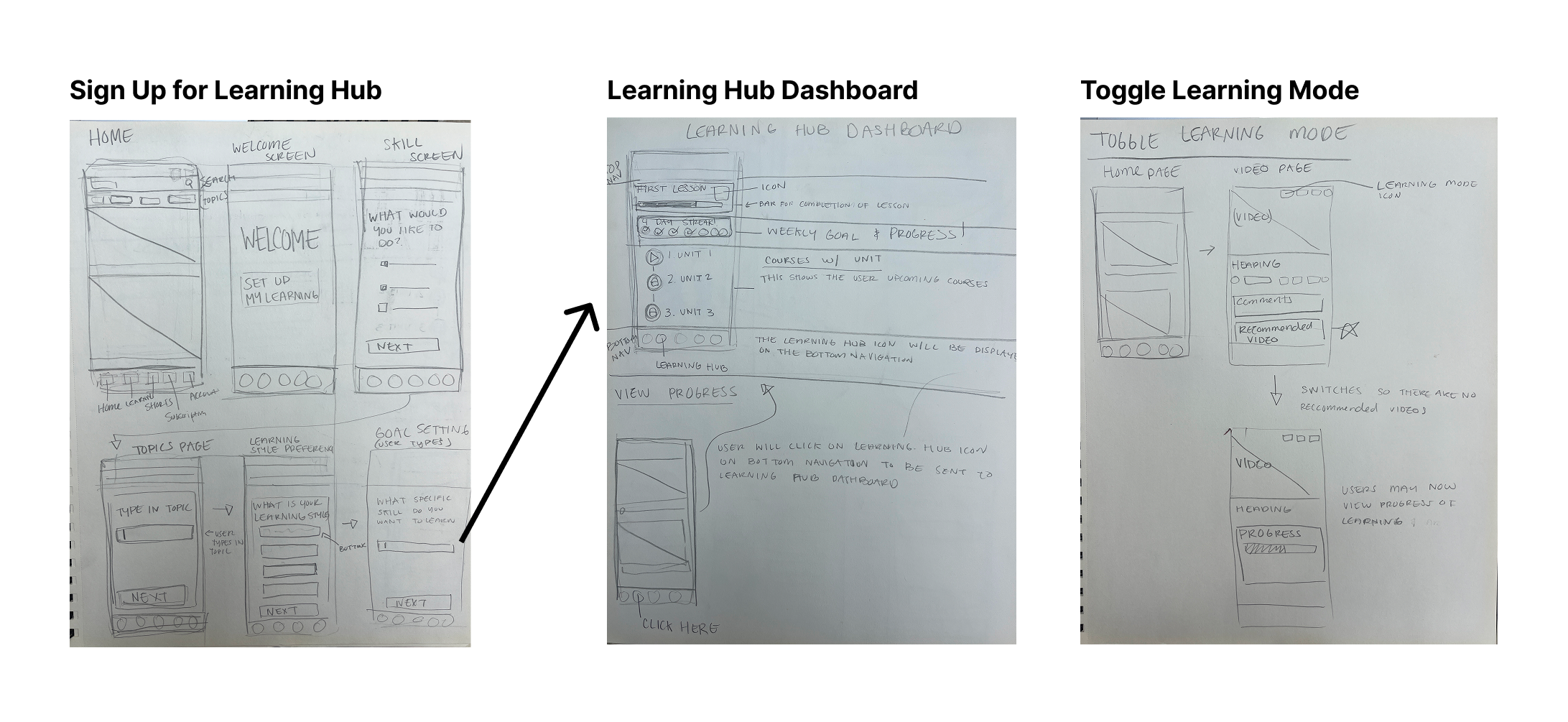
High-Fidelity
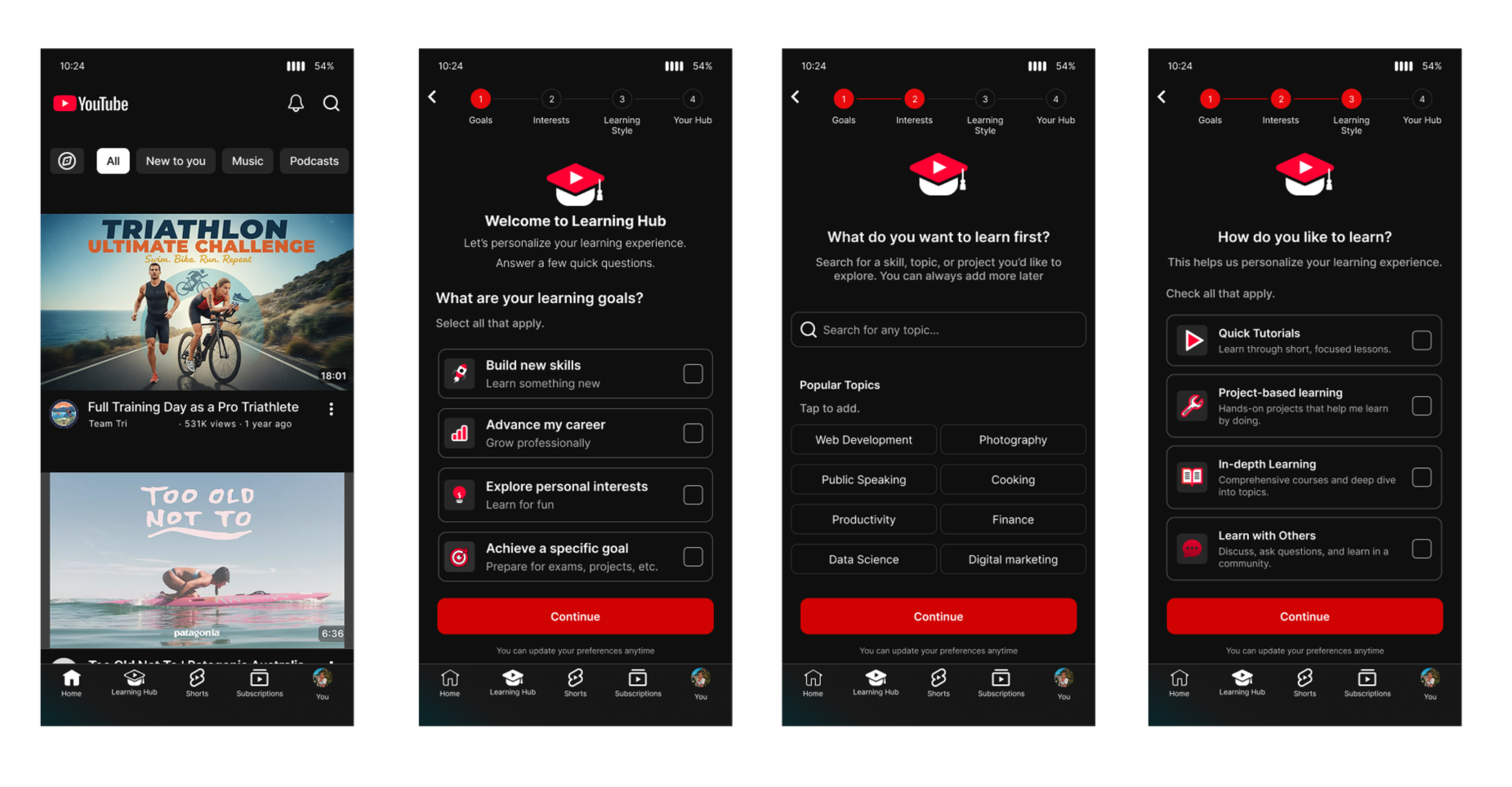
Flow 1
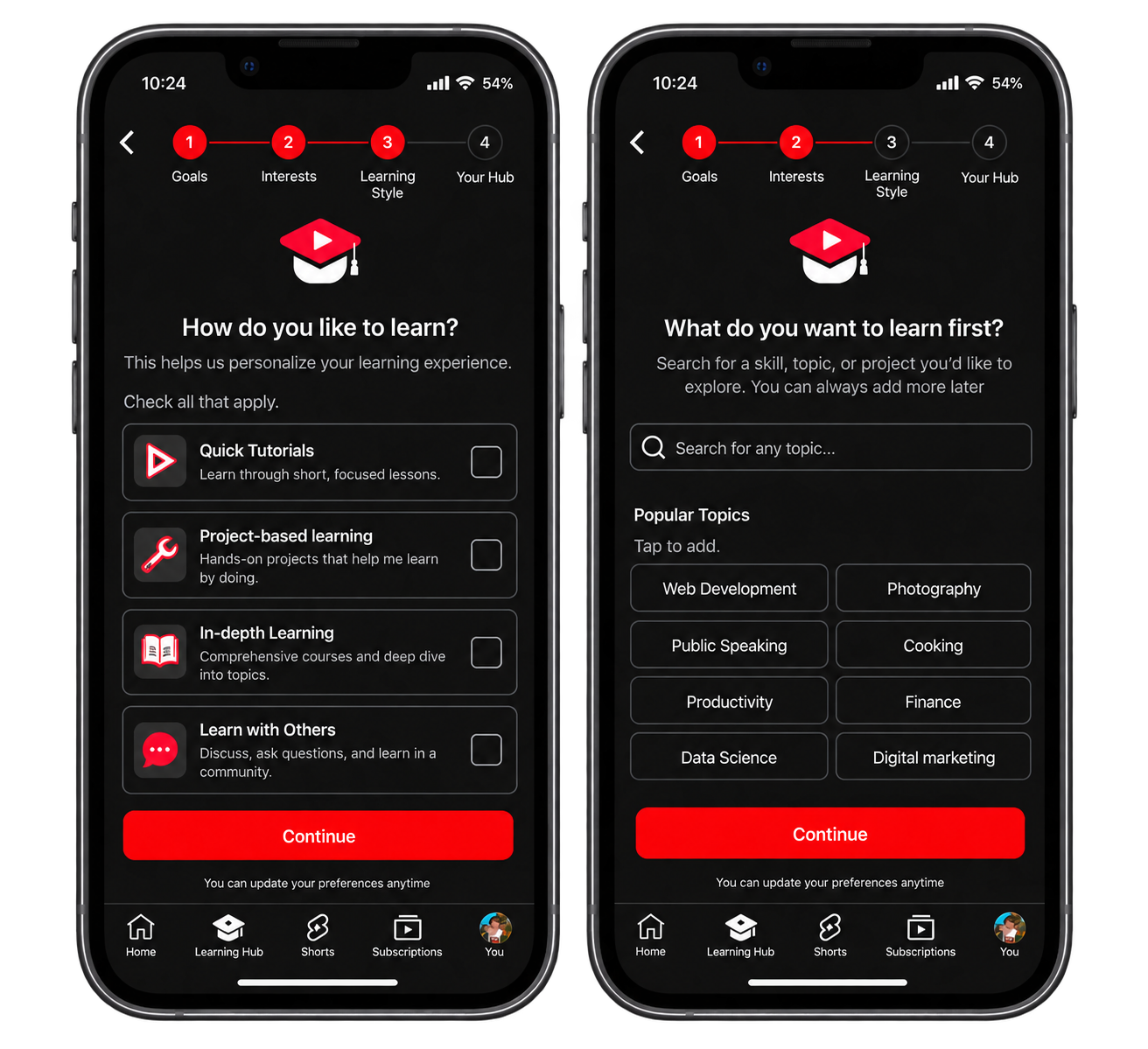
Onboarding: Youtube Learning Hub
Users enter the Learning Hub from the familiar YouTube experience and complete a short, three-step onboarding process. They select their learning goals, choose topics or skills they’re interested in, and identify their preferred learning style. These selections are then used to create a personalized Learning Hub with relevant interests, learning preferences, and a tailored syllabus.
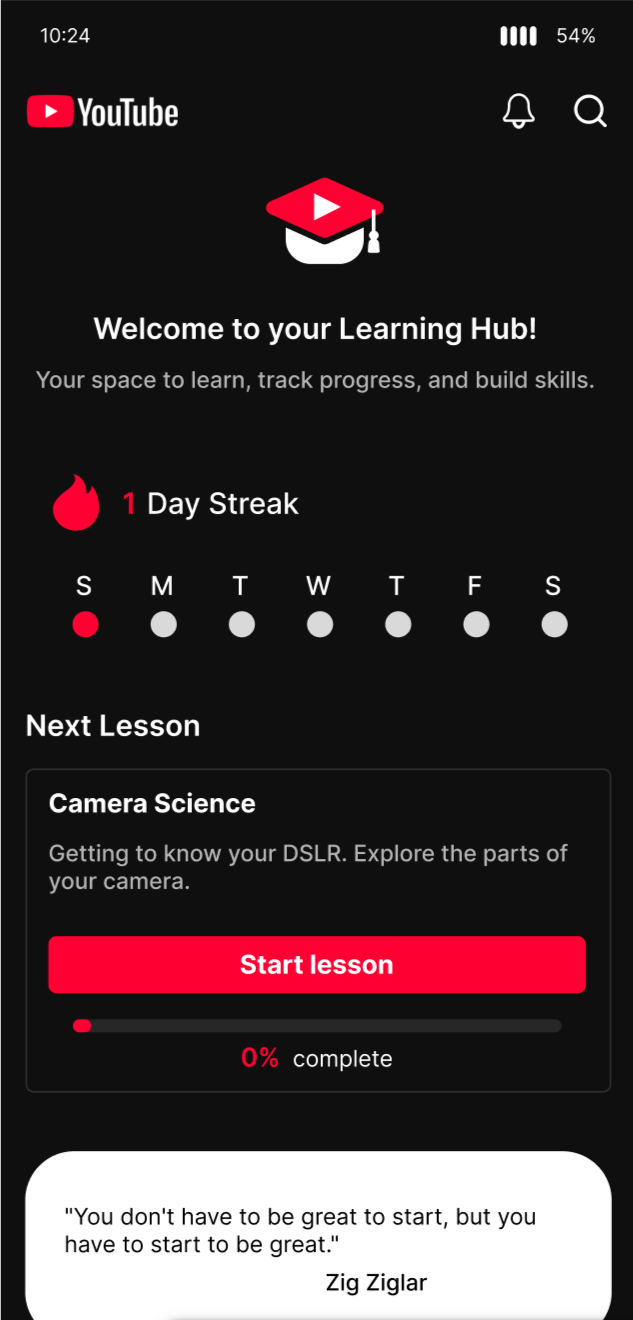
Learning Streak
Tracks consecutive learning days with a weekly view.
Next Lesson
Surfaces the next recommended lesson with a clear CTA.
Lesson Progress
Shows completion percentage and progress toward the current lesson.
Daily Progress
Tracks learning time, lessons completed, streaks, and certificates.
Learning Goal / Interest
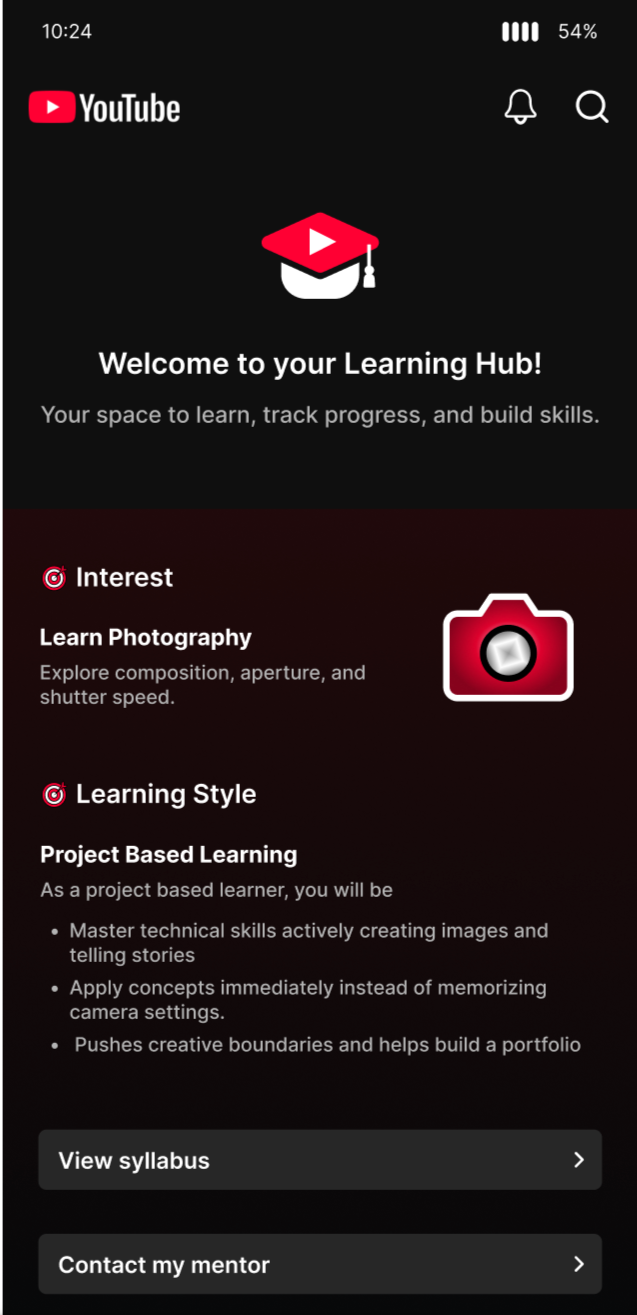
Displays the learner’s selected skill or topic, such as photography.
Learning Style
Shows the user’s preferred learning approach and personalized guidance.
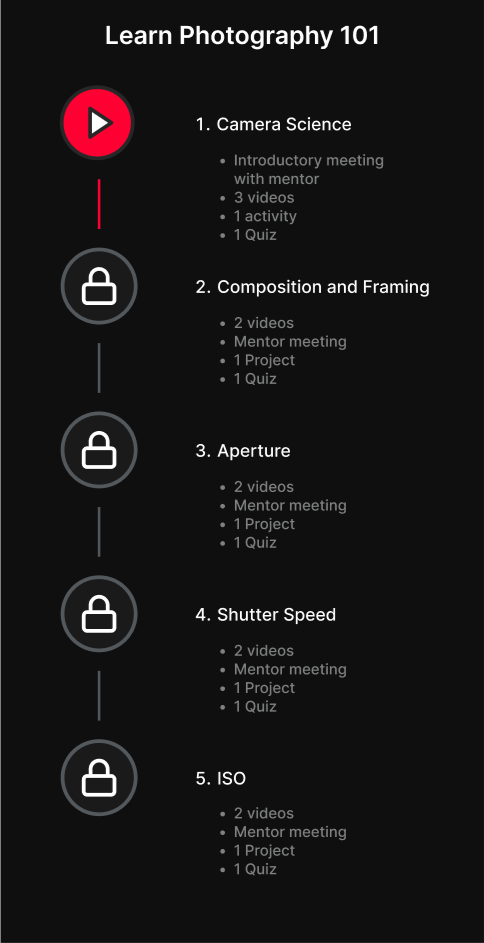
Syllabus
Gives quick access to the learner’s course or learning path.
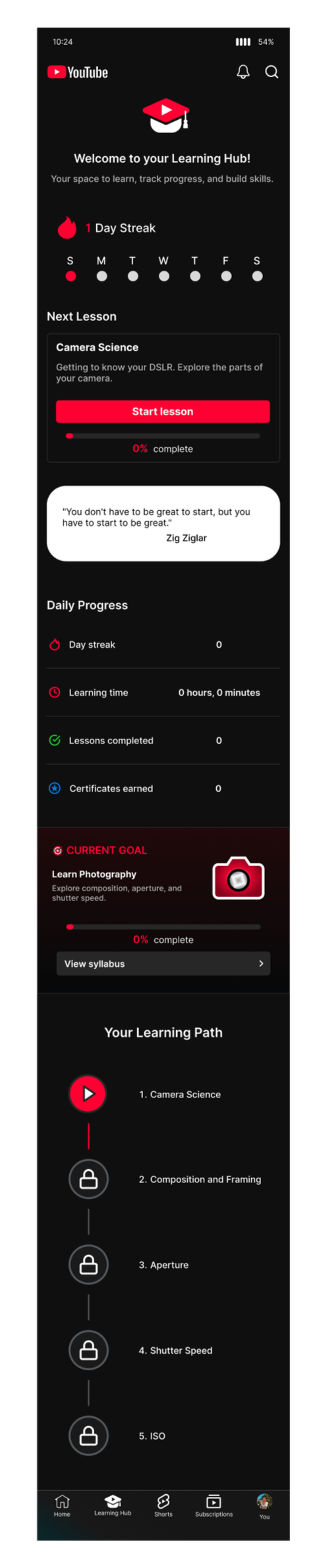
Mentor Support
Provides a direct way to contact a mentor.
Learning Hub Features
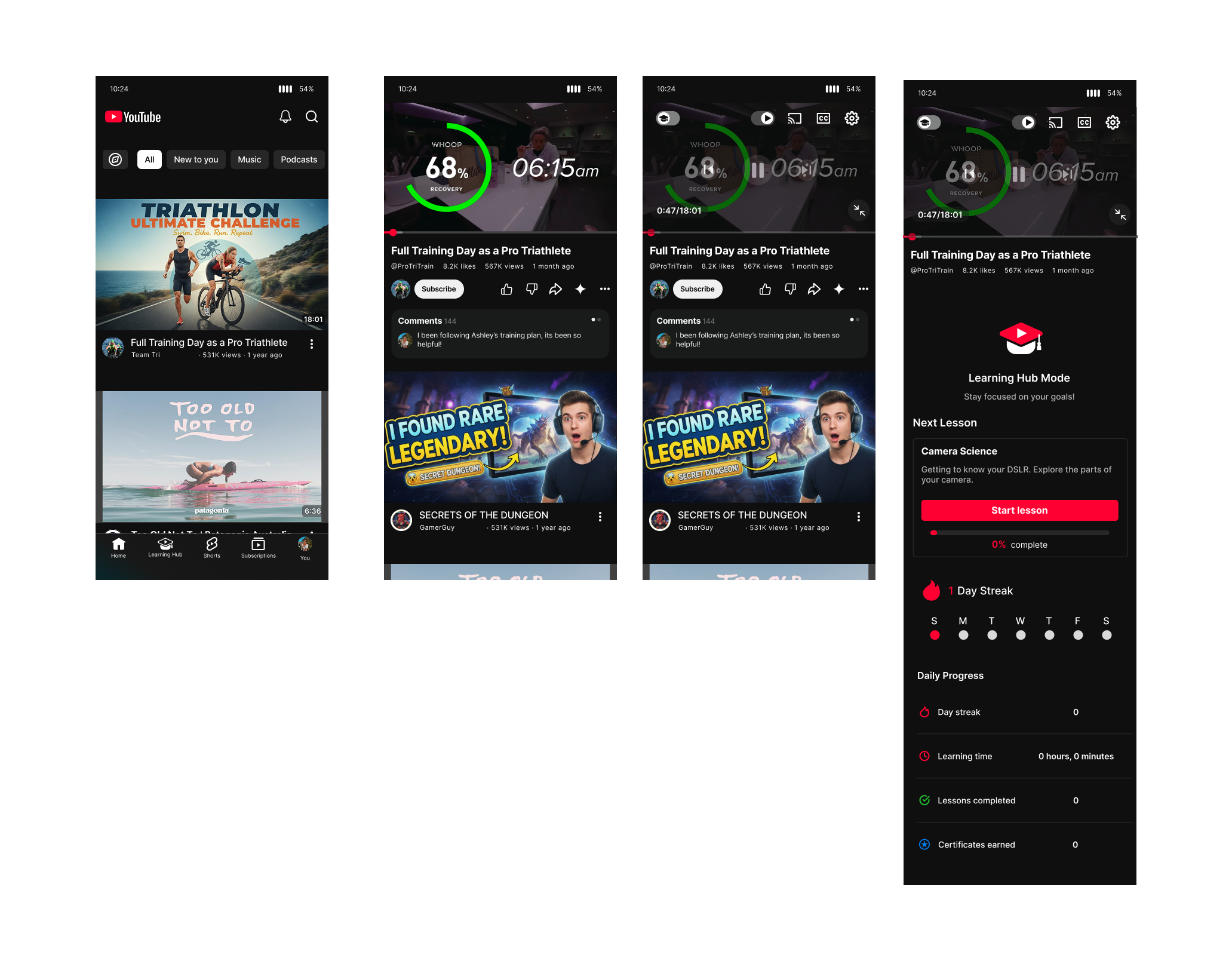
Flow 2
Toggle Learning Mode
A simple toggle transforms everyday viewing into a focused learning experience, connecting videos to lessons, goals, and progress.
Transforming Passive Content into Intentional Learning
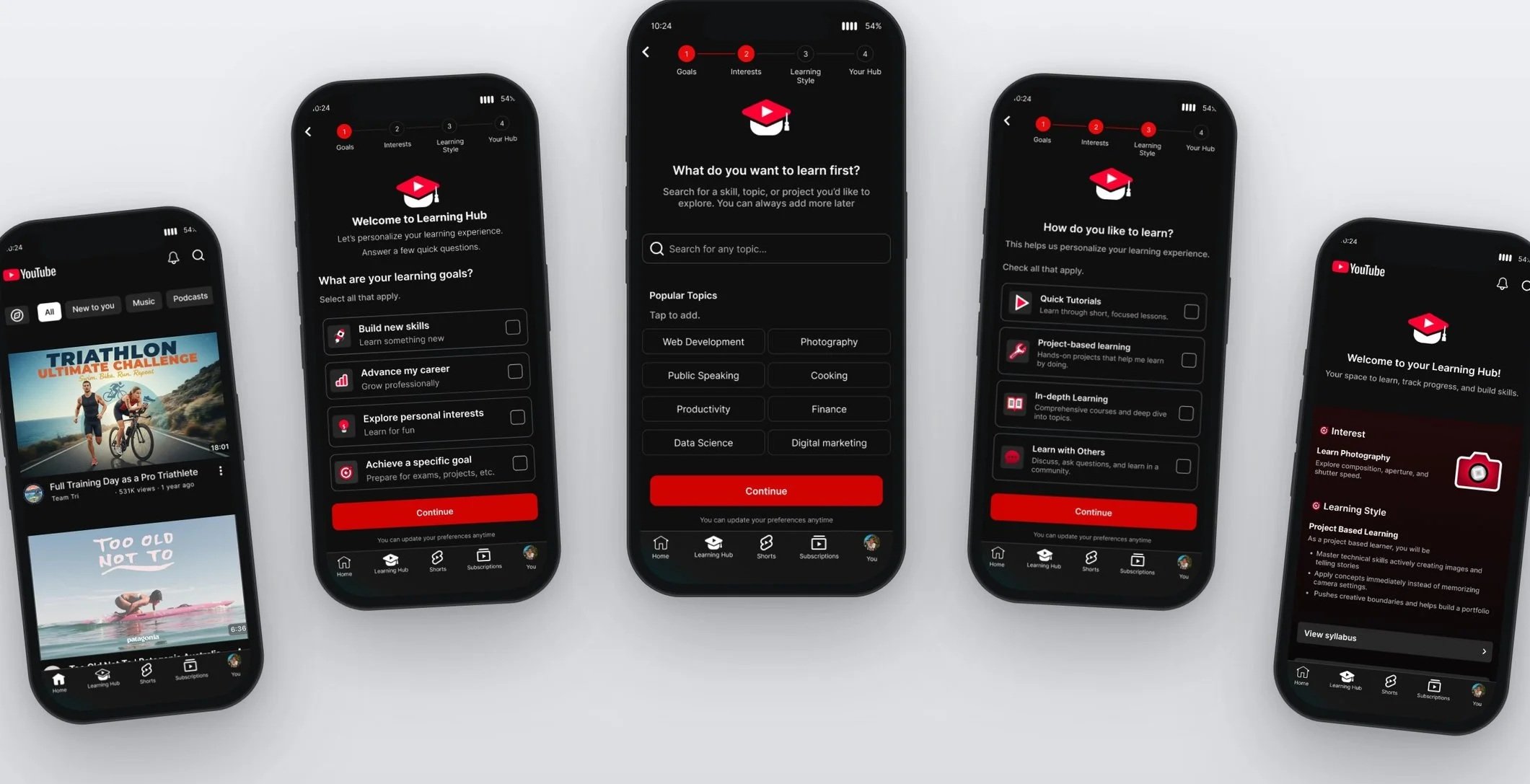
Usability Testing & Iterations
To ensure the features truly resonated with my users, I conducted usability testing and iteratively refined my designs based on the direct feedback and interaction data I gathered. This process allowed me to shift the platform’s focus from fragmented, passive consumption to a cohesive, goal-oriented experience. By doing so, I enabled self-directed learners to effectively track their progress and achieve long-term skill development, ultimately increasing learning efficiency by minimizing distractions and providing the clear, structured pathways users need.
Iteration 1
Change Toggle Learning Mode: The "Learning Mode" toggle feature received mixed feedback regarding discoverability; some users struggled to locate it initially, suggesting a potential area for refinement.
The Fix
To address this, we relocated the learning mode directly beneath the video, supplementing it with a clear explanation of the feature's purpose and how it operates.
Before
Learning mode Toggle was nested in the video settings.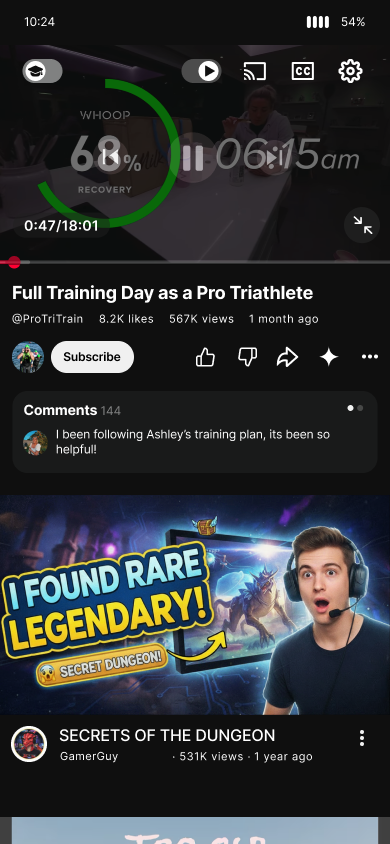
After
Learning Mode Toggle moved to beneath the video with instructions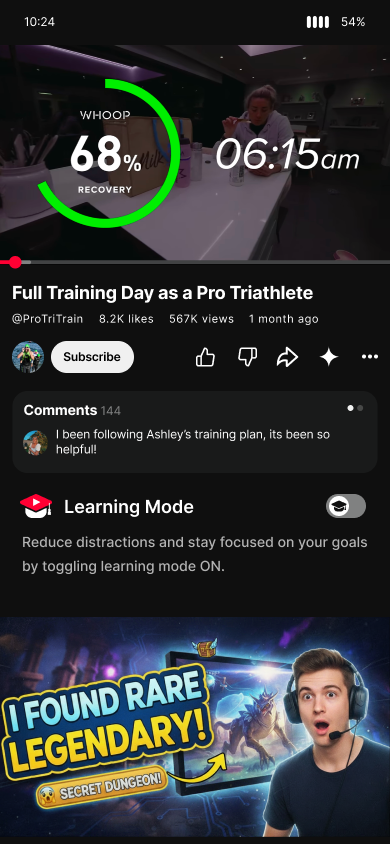
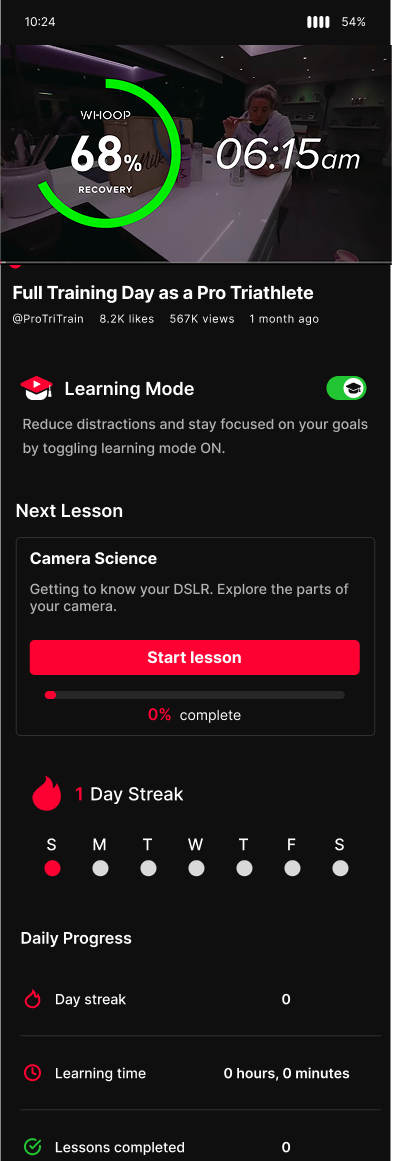
Iteration 2
Clarity on Content
Some users were uncertain about the specific nature of the learning content (e.g., whether lessons are shorts, long-form videos, or how they are curated/verified).
The Fix
Clear explanation of the user's selected learning style into the Learning Hub, detailing its unique benefits and how it influences their overall learning plan.
Dedicated button to easily contact mentors, providing users with direct access to get their questions answered and allowing them to schedule project meetings.
Specific lessons have been integrated into the “Units” section, giving users clear visibility into the exact lessons they will complete and providing an estimated timeline for each unit.
Before
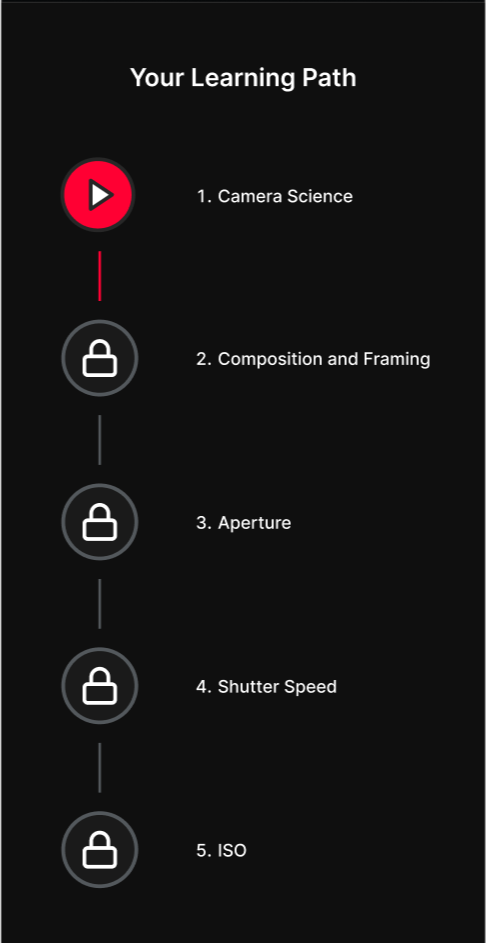
After